Juo
Last updated: February 5, 2026
Bridge the gap between your AI and Juo to give subscribers a direct line to skip, pause, or modify their orders, resolving management inquiries instantly without human intervention.
Setup
Step 1
In order to connect to Juo to Engaige, you need to Create an API Key. API keys allow your Agents to programmatically read and manipulate subscription data from your Juo instance. API keys can be generated in the Juo admin interface.
For more details, see the Juo Admin API Introduction.
Step 2
Once the credentials collected, you have now all information needed to enable the integration inside Engaige:
log in to your Engaige dashboard
Navigate to the Settings section on the left side panel.
From there, click on the Integrations section.
Click on the Juo integration Enabled button. If the Juo integration is not visible, use the search bar at the top right of the page to locate the integration.
Enter your credentials from the very first step in the form:
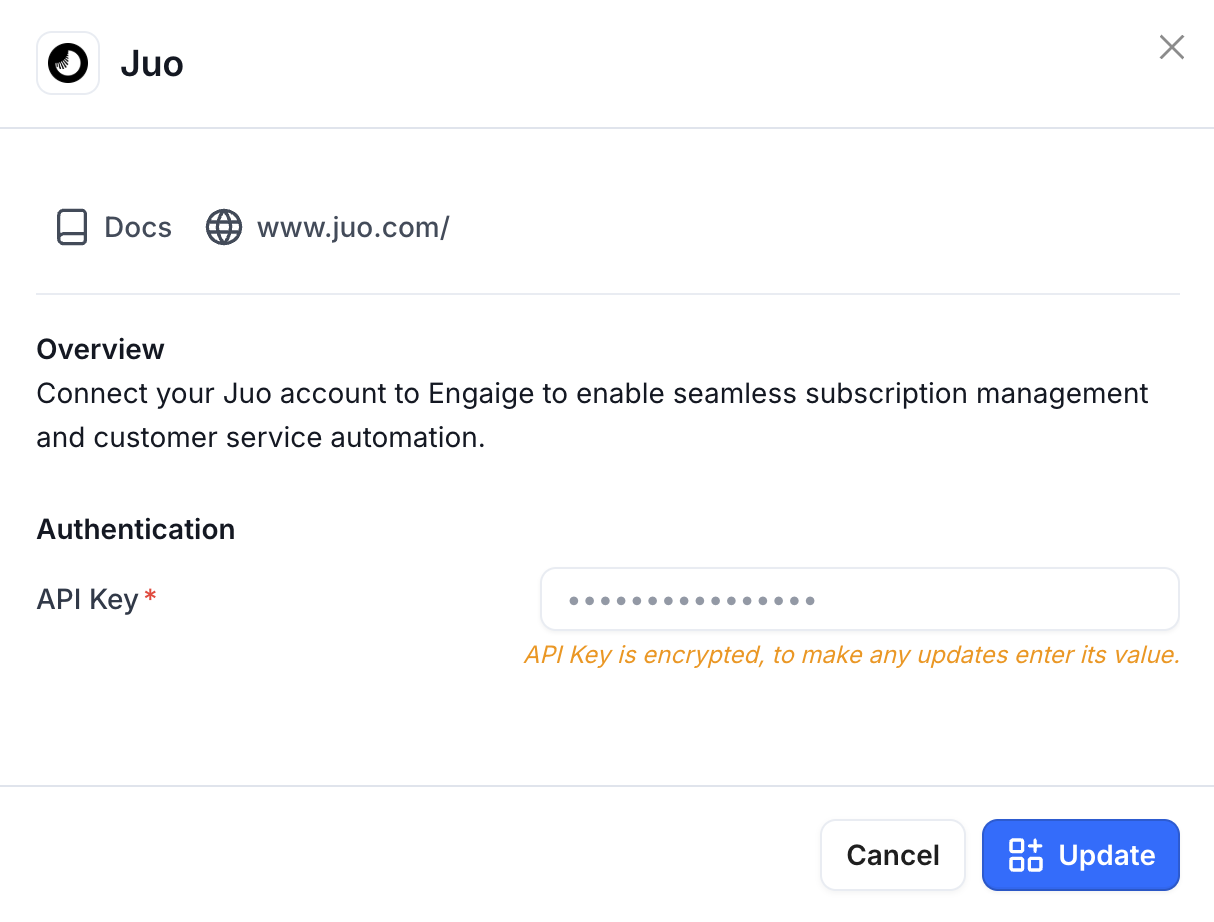
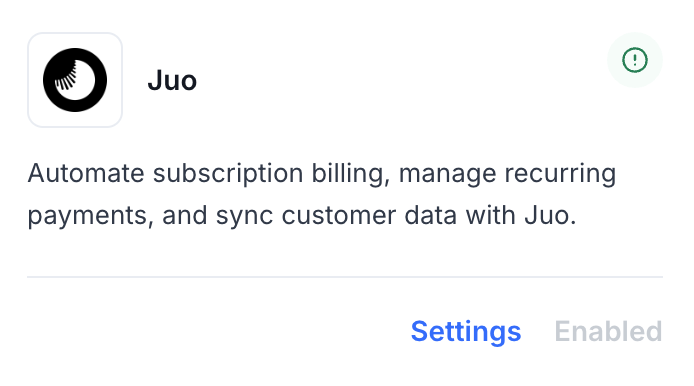
You are now all done ✅ : your Juo account is now linked to Engaige. If the setup is correct, you will see a green indicator on the integration, confirming that the Juo integration is now synced with Engaige and that the related actions are unlocked for the agent.
Actions
Enabling the Juo integration allows you to unlock new actions for your agent. In the Actions view, use the search bar at the top right and search for 'Juo' to display all related actions.
Get Customer Subscriptions
This action is the first action to execute in every subscription-related workflow. It will retrieve the required context for the AI to make the right choices, and the retrieved data is required to execute other subscription actions.
Functionality: This action empowers the agent to retrieve comprehensive subscription details and upcoming order schedules from Juo for a given Shopify customer. It queries Juo's Subscriptions and Schedules endpoints to list all active subscription records associated with the customer, along with their upcoming scheduled orders.
Security & Verification: The Shopify customer ID is mandatory and serves as the primary identifier for retrieving subscription data. The customer ID must follow the Shopify format pattern (`gid://shopify/Customer/[customer_id]`), ensuring the agent targets the correct customer account. If no subscriptions are found for the provided customer ID, the action will fail with an error and no subscription data will be shared.
Data Visibility: Upon successful retrieval, the agent can access Juo subscription details for the given customer, such as:
Subscriptions: The list of subscription records associated with the customer, including subscription status, products, frequency, and other relevant subscription metadata.
Customer Association: For each subscription, confirmation that it is tied to the validated customer ID, with expanded customer information.
Upcoming Schedule: The list of upcoming scheduled orders for the customer (configurable, defaults to 1 upcoming order), allowing the agent to understand when the next deliveries are planned.
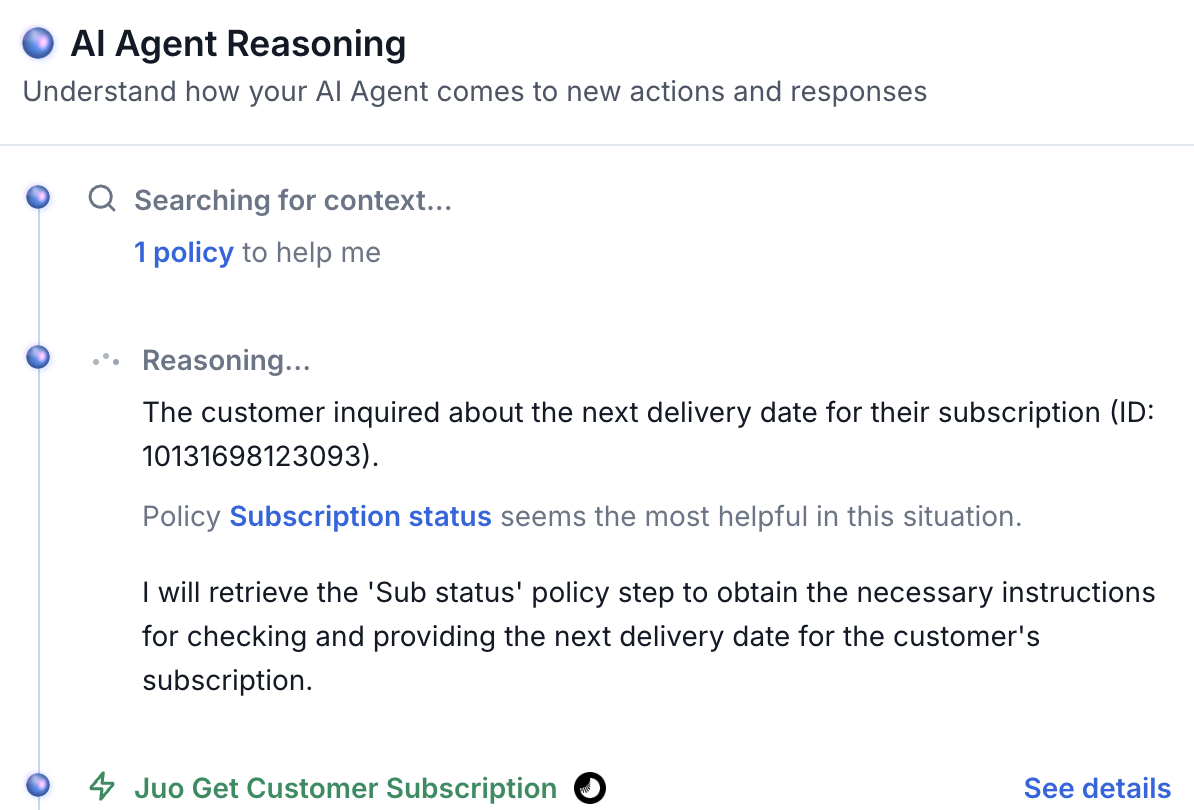
If the action is used by an agent during a conversation, it will appear as an interactive tool call. Clicking on the details will display the subscription and schedule information that is visible to the AI for the given customer.
Subscription-level actions:
These actions change the subscription itself. They all affect future orders according to the new subscription state.
For all of them you need the subscription ID, which you get from Get Customer Subscriptions.
Cancel Subscription
Functionality: This action allows the agent to cancel a subscription via Juo. The customer will no longer receive new recurring orders. Depending on Juo and merchant configuration, orders already scheduled before the cancel may still be delivered. The subscription is identified by its subscription ID from Get Customer Subscriptions.
Use cases: Customer stops their subscription, or trial ends and they do not continue.
Arguments: Subscription ID (from Get Customer Subscriptions).
Security & Verification: The subscription ID must belong to a subscription in the connected Juo environment and must be in a state that allows cancellation.
Reactivate Subscription
Functionality: This action allows the agent to reactivate a previously cancelled subscription via Juo. The customer will receive orders again according to the subscription’s schedule. The subscription is identified by its subscription ID from Get Customer Subscriptions.
Use cases: Customer changes their mind after cancelling, or win-back offers.
Arguments: Subscription ID (from Get Customer Subscriptions).
Security & Verification: The subscription ID must refer to a cancelled subscription in the connected Juo environment that is eligible for reactivation.
Pause Subscription
Functionality: This action allows the agent to pause a subscription via Juo. The customer will not receive orders during the pause. The agent can optionally set a resume date so the subscription automatically resumes on that date; if no resume date is set, the subscription remains paused until Resume Subscription is used. The subscription is identified by its subscription ID from Get Customer Subscriptions.
Use cases: Vacation, seasonal pause, or any temporary stop the customer requests.
Arguments:
Subscription ID (from Get Customer Subscriptions).
Resume date (optional or required depending on form configuration): the date when the subscription should resume, in ISO 8601 format (e.g.
2025-04-01).
Security & Verification: The subscription must be active and in a state that allows pausing in the connected Juo environment.
Validation: When provided, the resume date must be valid ISO 8601 format.
Resume Subscription
Functionality: This action allows the agent to resume a paused subscription via Juo. The customer will receive orders again on the normal schedule. The subscription is identified by its subscription ID from Get Customer Subscriptions.
Use cases: End of pause (e.g. customer back from vacation), or manual resume when the pause was time-limited.
Arguments: Subscription ID (from Get Customer Subscriptions).
Validation: The subscription must be in a paused state in the connected Juo environment. If it is already active or cancelled, the action may not apply or may return an error.
Change Subscription Address
Functionality: This action allows the agent to update the default delivery address for a subscription via Juo. All future orders will use this address unless it is changed again or overridden for a single order with Update Order Address. The subscription is identified by its subscription ID from Get Customer Subscriptions.
Use cases: Customer moved, or wants to change where their recurring orders are delivered.
Arguments:
Subscription ID (from Get Customer Subscriptions).
Address: the new delivery address. Required: first name, last name, street address line 1, city, postal/ZIP code, country name, country code (e.g. US, GB). Optional: address line 2, province/state name, province/state code, phone, company.
Security & Verification: The subscription ID must exist in the connected Juo environment. All required address fields must be provided.
Update Subscription Items
Functionality: This action allows the agent to add items, remove items, or update quantities on a subscription via Juo (POST items, DELETE item, PATCH item). The agent can add new products (variant ID and quantity), remove existing lines (item IDs from Get Customer Subscriptions), and/or change the quantity of existing lines (item ID and new quantity). At least one of add, remove, or update must be supplied. The subscription is identified by its subscription ID from Get Customer Subscriptions.
Use cases: Add a product, remove a product, or change how many of something the customer receives on every order.
Arguments:
- Subscription ID (from Get Customer Subscriptions).
- At least one of: add_items (variant_id, quantity), remove_item_ids (list of item IDs), update_quantities (item_id, quantity). Item IDs come from the subscription data returned by Get Customer Subscriptions.
Security & Verification: The subscription ID and any item IDs must refer to the same subscription in the connected Juo environment. Variant IDs must be valid for the store.
Validation: At least one of add_items, remove_item_ids, or update_quantities must be non-empty. Item IDs must come from Get Customer Subscriptions.
Order-level actions (schedule adjustments):
These actions change one of the upcoming orders in the customer’s schedule. They do not change the subscription itself, the order selection is based on the cycle argument, which is independent from the subscriptions.
For all of them you need the customer ID and the cycle (which upcoming order: 0 = next, 1 = second, etc.).
Skip Order
Functionality: This action allows the agent to skip one upcoming order in the customer’s schedule. The customer will not receive that delivery. The agent provides a reason (e.g. “Customer on vacation”), and Juo records this as a schedule adjustment. The target order is identified by the customer ID and the cycle index (0 = next order, 1 = second, etc.).
Use cases: Holiday skip, short break, or any one-time skip the customer requests.
Arguments:
- Shopify customer ID
- Cycle: which order to skip (0 = next, 1 = second, etc.)
- Reason: a short explanation for the skip (e.g. “Customer on vacation”)
Security & Verification: The cycle should be obtained from Get Customer Subscriptions so the agent targets the correct upcoming order. The action will fail if the customer or cycle is invalid in Juo.
Reschedule Upcoming Order
Functionality : This action allows the agent to move one upcoming order to a new delivery date. Juo applies a CHANGE_DATE schedule adjustment so the customer receives that order on the new date instead of the original one. The target order is identified by customer ID and cycle (0 = next order, 1 = second, etc.).
Use cases: Different delivery day, event-based reschedule, or any one-time date change the customer requests.
Arguments:
- Shopify customer ID
- Cycle: which order to reschedule (0 = next, 1 = second, etc.).
- New date: the new delivery date in ISO 8601 format (e.g. 2025-03-15).
Validation: The new date must be non-empty and valid ISO 8601 format.
Update Order Address
Functionality: This action allows the agent to update the shipping address for one upcoming order only (Juo UPDATE_SHIPPING adjustment). The subscription’s default delivery address is unchanged; only the selected order is sent to the new address. Use this when the customer wants a one-time delivery elsewhere (e.g. temporary address, gift recipient).
Use cases: Temporary address change, one-time delivery to another location (e.g. office, gift recipient).
Arguments:
- Shopify customer ID
- Cycle: which order to update (0 = next, 1 = second, etc.).
- Address: the new shipping address. Required: first name, last name, street address line 1, city, postal/ZIP code, country name, country code (e.g. US, GB). Optional: address line 2, province/state name, province/state code, phone, company.
Apply Order Discount
Functionality: This action allows the agent to apply a pre-configured discount to one upcoming order. The discount is configured once when the action is added to the agent (either a Shopify discount code, e.g. SAVE20, or free shipping). At runtime the agent only provides the customer ID and cycle to indicate which order receives the discount. The action uses Juo’s discount application for the selected scheduled order.
Use cases: One-time promotion, loyalty reward, or compensation for a single order.
Arguments:
- When creating the action: Discount type (Shopify discount code or free shipping) and, when using a code, the code value.
- When executing the action: Shopify customer ID and cycle (0 = next order, 1 = second, etc.).
Security & Verification: The discount code must exist and be valid in your Shopify store when the order is placed.
Note: This action uses multiple creation mode: multiple instances can be added (e.g. one with a 20% code, one with free shipping), each with its own discount configuration. You can rename the action according to the discount.
Update Order Products
Functionality: This action allows the agent to change the products on one upcoming order: adjust the quantity of a line, swap the variant (e.g. size or flavour), or both. The agent identifies each line by its line ID (from Get Customer Subscriptions upcoming schedule) and supplies the new quantity and/or variant ID. Only the selected upcoming order is modified; the subscription’s default items are unchanged.
Use cases: Change quantity for that order, swap variant (e.g. size or flavour) for that order only.
Arguments:
- Shopify customer ID
- Cycle: which order to change (0 = next, 1 = second, etc.).
- Lines: list of changes. For each line provide the line ID (from Get Customer Subscriptions) and at least one of: quantity or variant_id (to swap the product variant).
Validation: Each line must have at least one of quantity or variant_id. Line IDs must come from the upcoming schedule returned by Get Customer Subscriptions.
Support
Are you experiencing issues integrating with Juo or interested in additional actions with Juo?
👉 Please send an email to support@letsengaige.com, with your request, and a member of our team will respond to you promptly.