Core Concepts: How your AI Agent works
Last updated: January 21, 2026
To build a successful AI Agent, it helps to think of it not as software, but as a new human employee joining your support team. Just like a human, your AI needs a personality, a handbook of knowledge, and strict training on how to handle complex tasks.
Engaige uses four core concepts to bring this "digital employee" to life. Understanding how these fit together is the key to automating support safely and effectively.
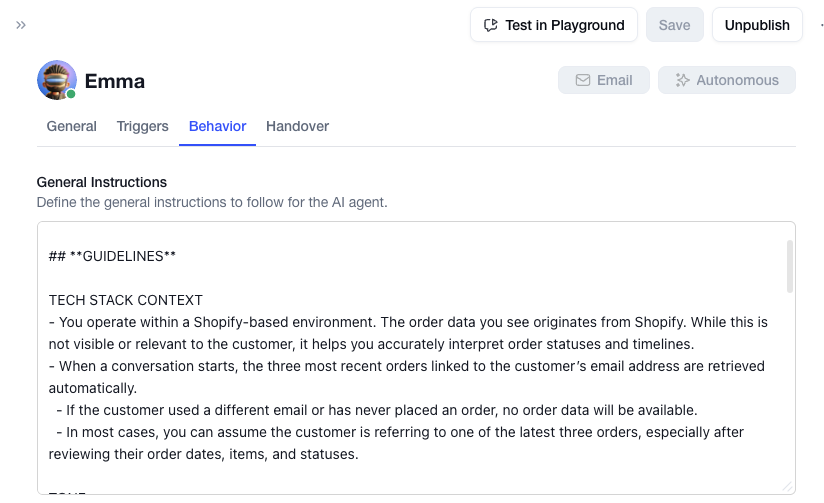
1. General Instructions (The Personality)
Think of General Instructions as the Personality and Code of Conduct for your agent.
This is where you define who the agent is and the global rules it must always follow. These instructions are active in every single conversation, acting as the foundation for the agent's behavior.
Behaviour: This is the prompt/identity of your agent. You can add several items to the prompt:
Guidelines / General Behaviour & Style: "You are a support agent for [Store Name], a premium coffee brand."
Limits & Boundaries: "Never mention our store address as a location for returns if the order is placed online."
Handovers: Give general context to your AI of when to do a handover.
2. Documents (The Knowledge)
Think of Documents as the Employee Handbook.
Documents are your static knowledge base containing facts about your company. When a customer asks a general question (e.g., "Do you ship to Canada?" or "Is this produc t gluten-free?"), the agent "reads" the relevant document to find the answer.
Best for: FAQs, product specs, shipping policies, and general information.
How it works: The agent searches your documents to construct an answer tailored to the customer's question.

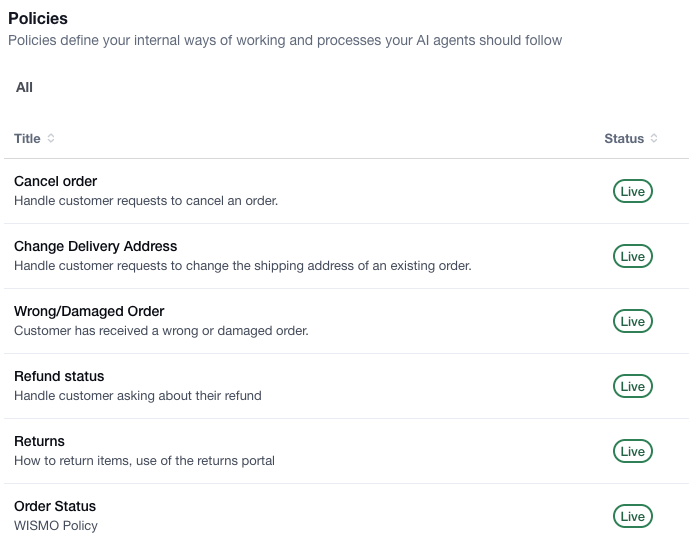
3. Policies (The Logic & Rules)
Think of Policies as Strict Training Scripts.
A Policy is a structured decision tree that tells the agent exactly what to do in specific scenarios. Unlike Documents (where the agent figures out the answer), Policies force the agent to follow a mandatory step-by-step workflow.
Best for: Complex processes like Returns, Cancellations, or "Where is my Order?".
The Golden Rule: Policies always take priority over Documents. If a customer asks to return an item, the agent will ignore the general FAQ and immediately switch to the "Return Policy" workflow to ensure the process is handled correctly. However, it is best to make sure there is as little overlap as possible.
4. Actions (The Tools)
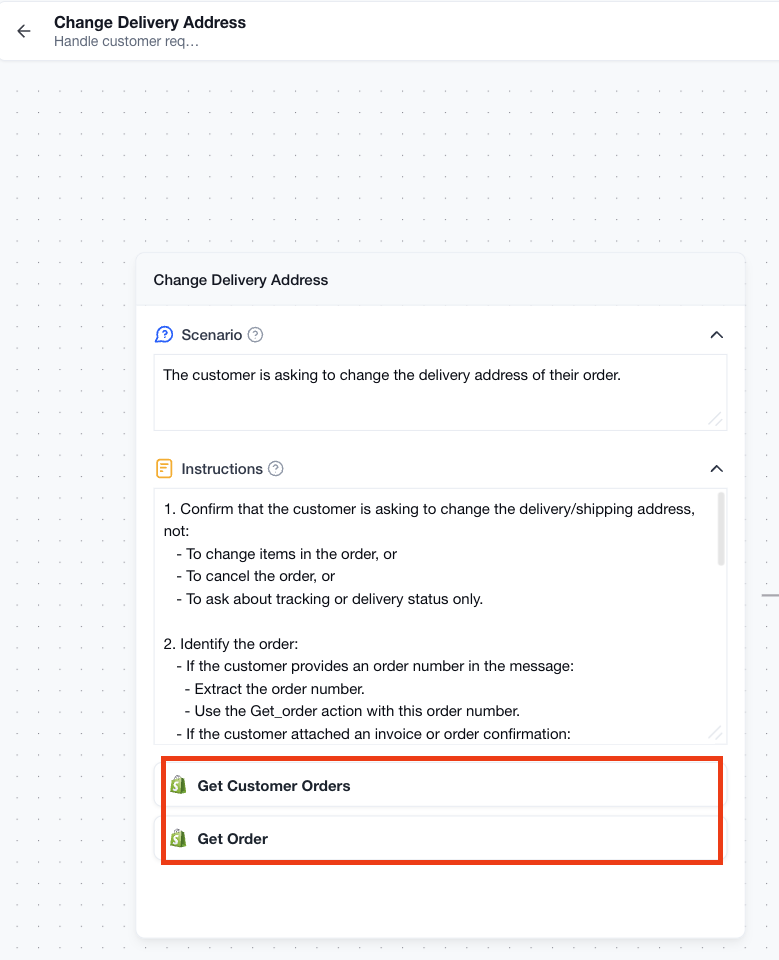
Think of Actions as the Computer Tools the agent uses to do its job.
Actions allow the agent to interact with your systems, like checking an order status in Shopify, creating a return label, or updating a subscription.
The Safety Lock: To ensure safety, Actions are only accessible inside a Policy. The agent cannot just randomly press buttons. It must first enter a specific Policy (e.g., "Change Delivery Address Policy"), and reach the specific step where you have unlocked the "Change Delivery Address" action. This ensures the agent only takes action when it follows your approved process.