Monta
Last updated: March 3, 2026
Connect your agent to Monta to enable your AI to provide the latest shipment details and a direct line to your warehouse floor to instantly resolve stock and shippment inquiries.
Setup
In order to connect to Monta to Engaige, you will need the following API credentials:
username
password
See Monta API documentation for more information: https://api-v6.monta.nl/index.html
Step 1: Create Monta API Credentials
To obtain Monta API credentials, username and password, you need to create them via your Monta dashboard.
To do so:
Log in in Monta portal: https://www.montaportal.nl/
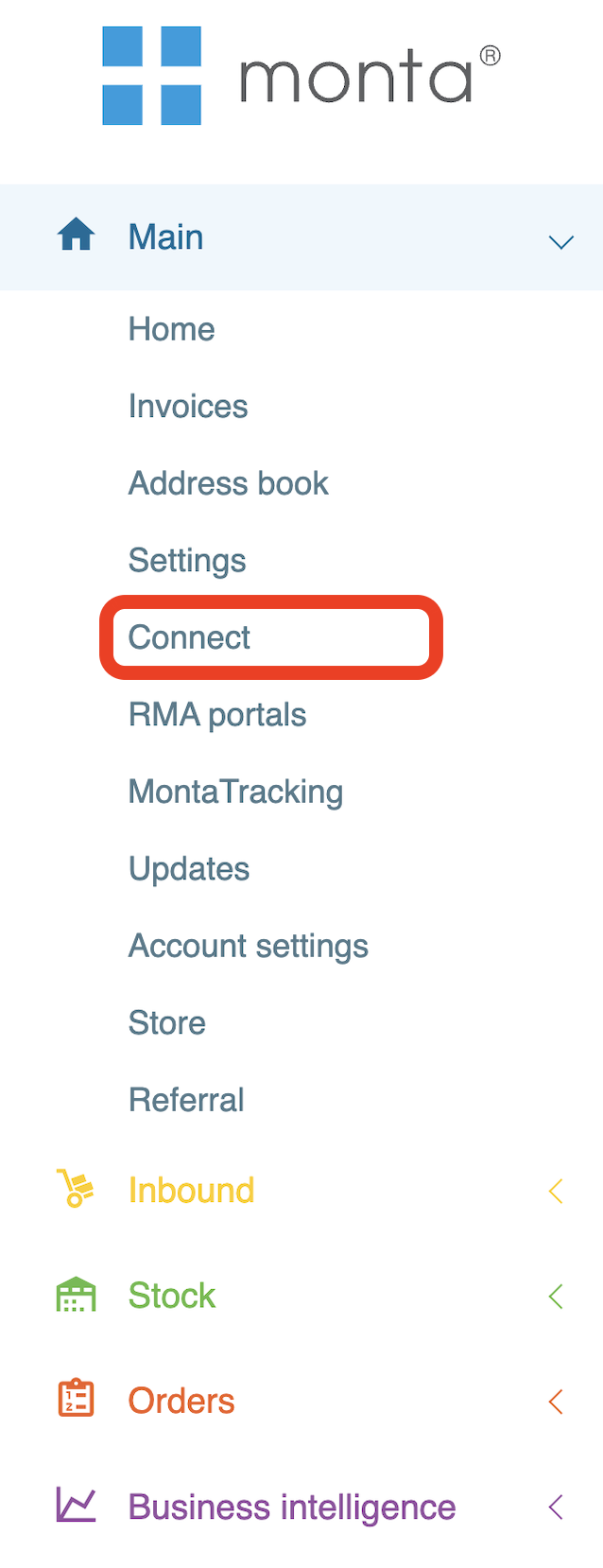
Navigate to the 'Connect' window via left panel.
Click on the Monta REST API app. If not available, you'll need to install Monta by going in the 'Available' tab.
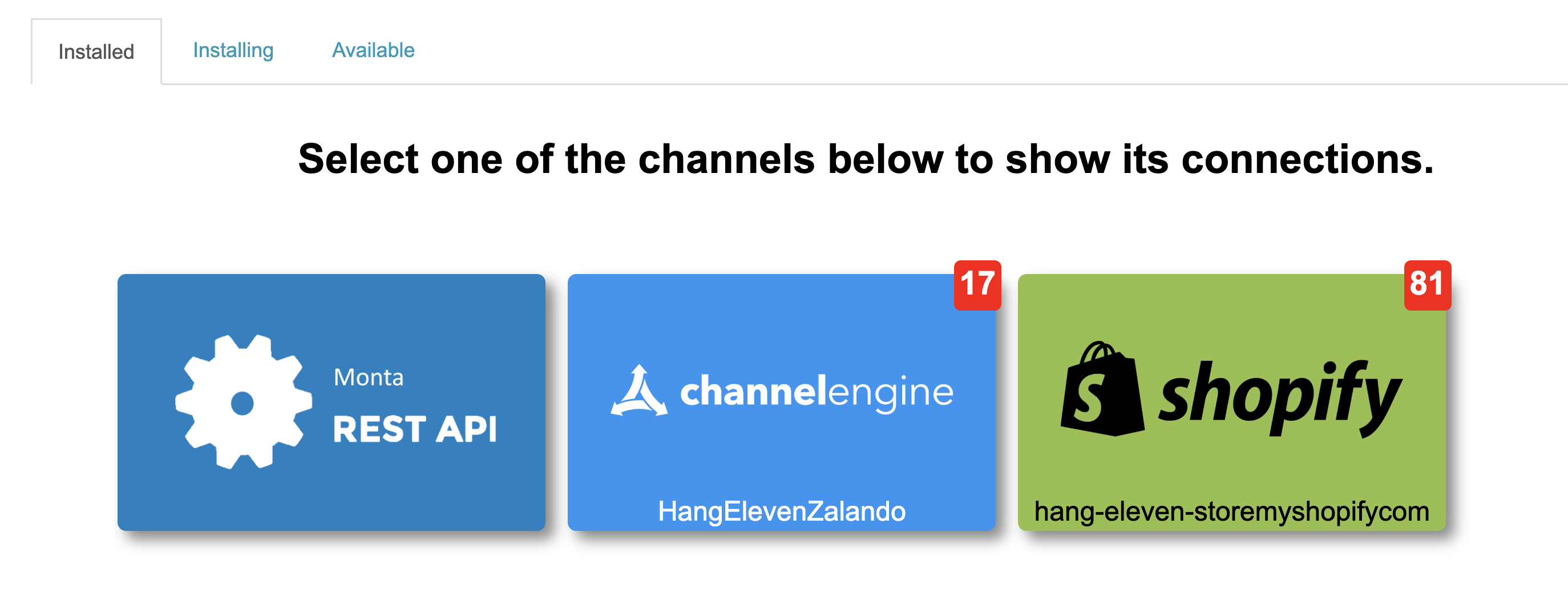
Click the + on the top right to create an API access
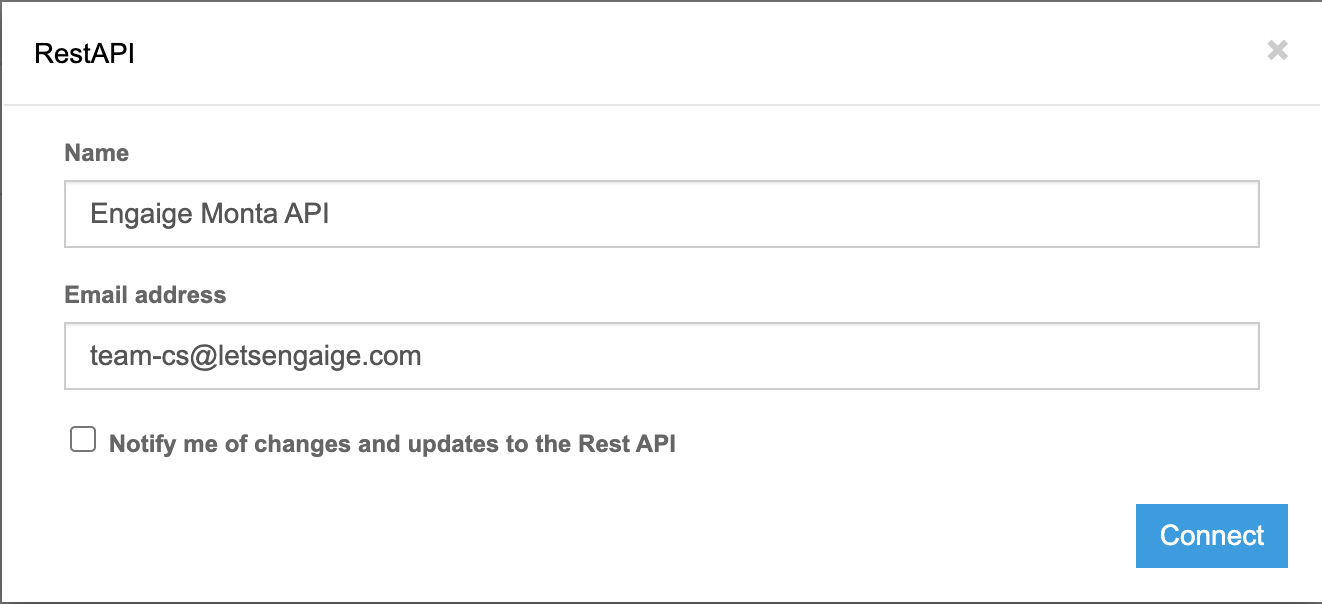
Enter the required information and click Connect to finish the setup.
Assigning a descriptive name to your API key inside Monta (in this case
Engaige) facilitates easier identification of the credentials associated with each use case.For the email address, we highly recommend you to use the email address of the person in charge of the Engaige integration in your team for traceability.
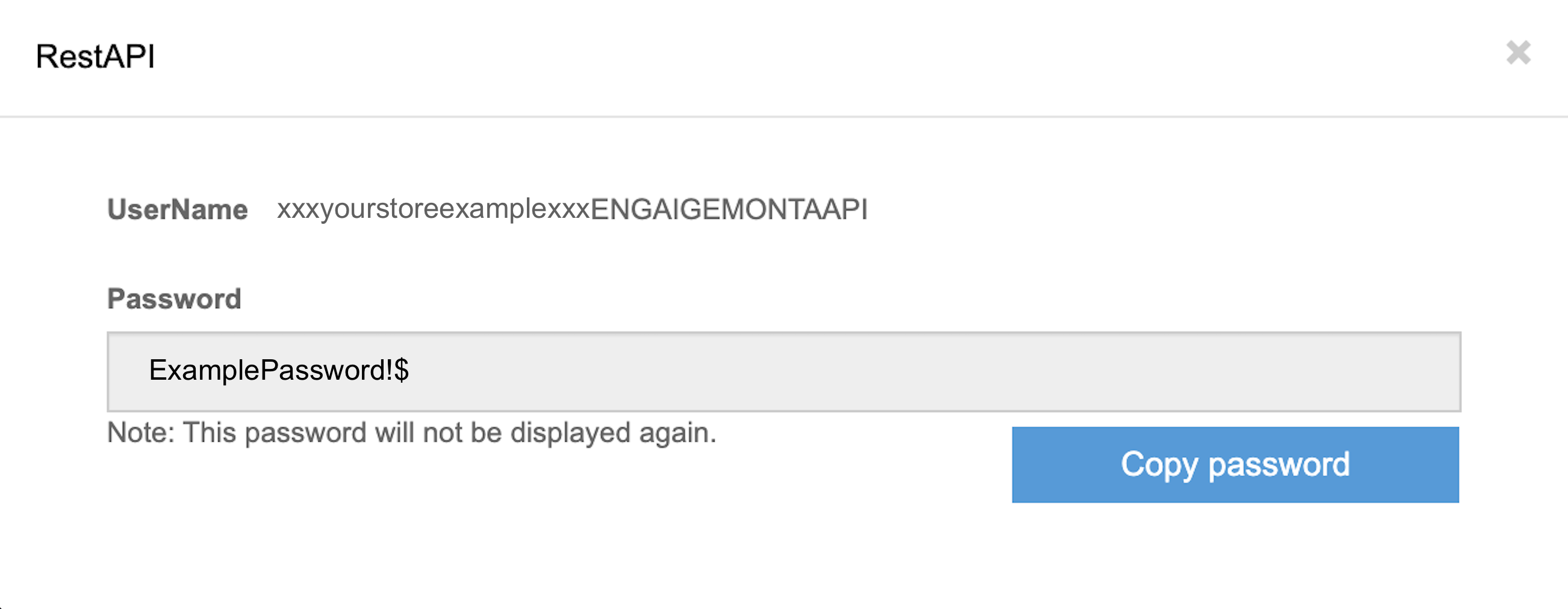
Your credentials has now been successfully created ✅: copy both the username and the password it as this will be required for the next steps and has the password will be displayed only once to you. If you did indeed loose the password in the process, you can delete this access to permanently deactivate those credentials and repeat the process again to create new credentials.
Step 2: Enable Monta in Engaige
You have now all information needed to enable the integration inside Engaige.
Log in to your Engaige Dashboard.
Navigate to the Settings section on the left side panel.
From there, click on the Integrations section.
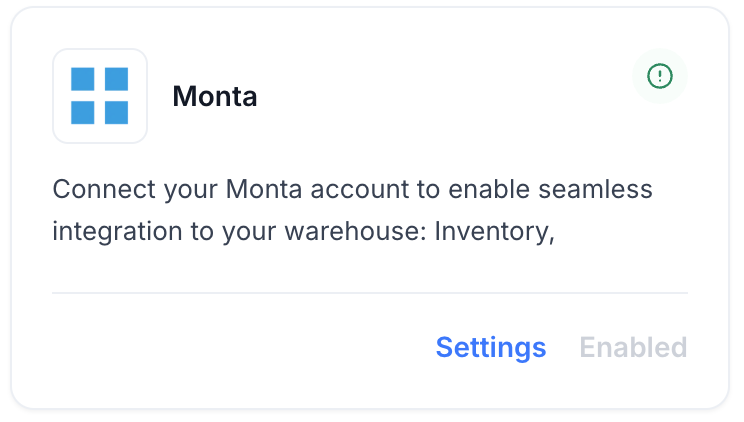
Click on the Monta integration Enabled button. If the Monta integration is not visible, use the search bar at the top right of the page to locate the integration.
Enter your credentials from Step 1 in the form:
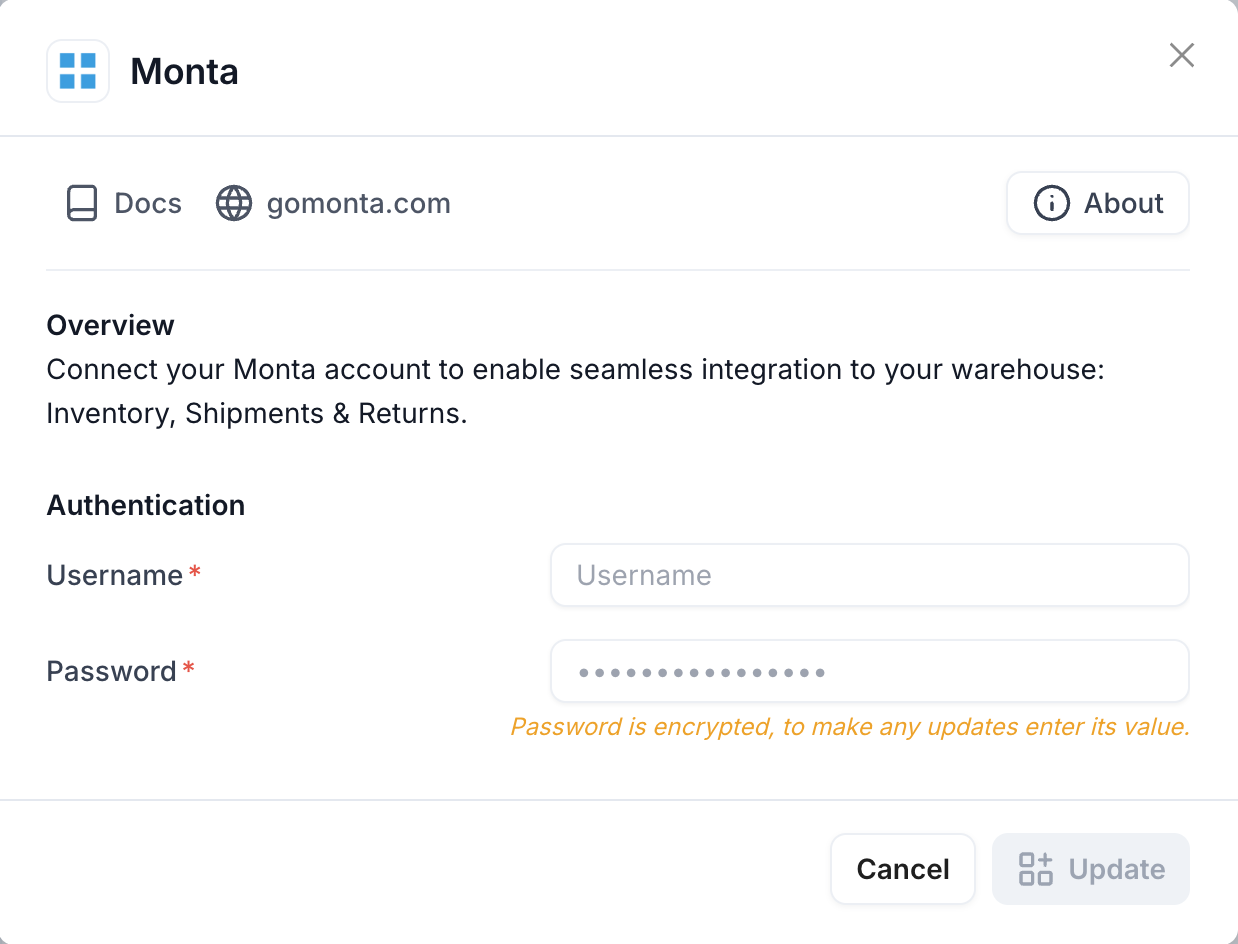
You are now all done ✅ : your Monta account is now linked to Engaige. If the setup is correct, you will see a green indicator on the integration, confirming that the Monta integration is now synced with Engaige and that the related actions are unlocked for the agent.
Actions
Enabling the Monta integration allows you to unlock new actions for your agent. In the Actions view, use the search bar at the top right and search for 'Monta' to display all related actions.
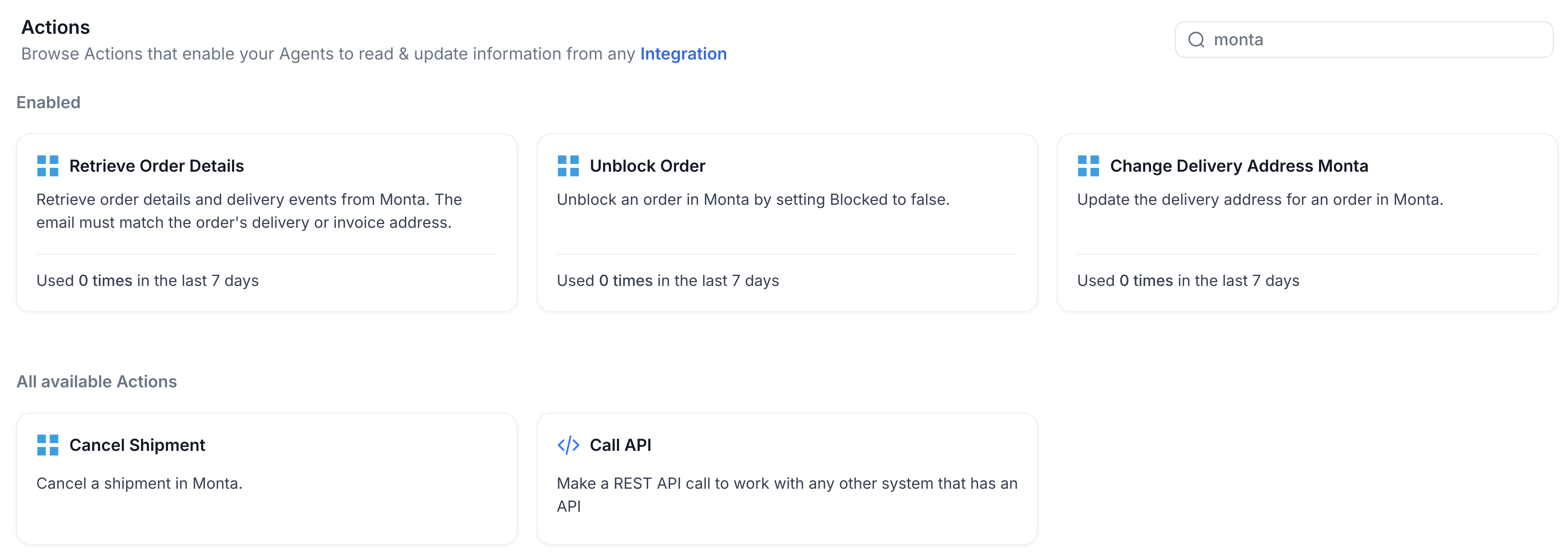
Retrieve Order Details
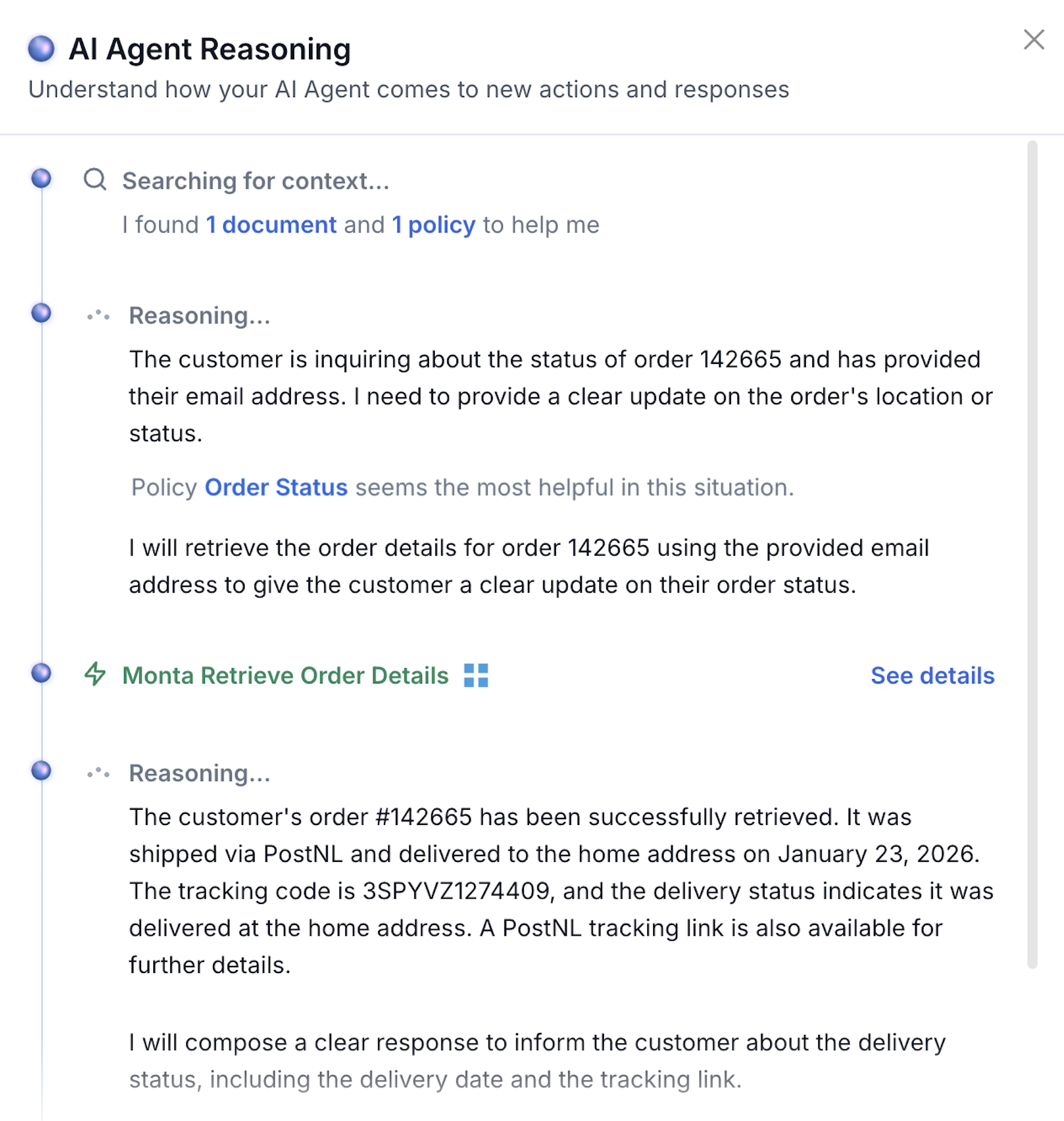
Functionality: This action allows the agent to retrieve order details and delivery events from Monta using the order number and the customer's email address.
Security & Verification: The email address is required and must match either the delivery or invoice email stored in Monta for that order. If the email does not match, no order data will be returned and the following error is raised: Email does not match.
Data Visibility: Upon successful retrieval, the agent can access:
Order Information: Full order payload from Monta (GET /order/{order_id}), including consumer details, delivery and invoice addresses, and order metadata.
Delivery Events: Timeline of delivery-related events for the order (GET /order/{order_id}/events), appended under the field
DeliveryEventsin the response.
If the action is used by an agent during a conversation, the returned data is visible to the AI for the given order.
Cancel Shipment
Functionality: This action allows the agent to cancel a shipment in Monta using the order number. The cancellation is sent via DELETE to the Monta order endpoint with an optional note.
Configuration: The cancellation note is configurable in the action form. The default note is "Cancelled by AI Agent". When the action is configured multiple times, each instance can use a different note.
Limitations: Monta may reject the cancellation in certain states. Common error responses include:
Order already in picking process.
Order already shipped.
In those cases, Monta returns structured error reasons (OrderDeleteInvalidReasons) which are surfaced to the agent so it can inform the user.
Data Visibility: On success, the agent receives confirmation (success, order_id, and the note used). No order payload is returned.
Change Delivery Address
Functionality: This action allows the agent to update the delivery address for an order in Monta using the order number and the full set of delivery address fields (company, name, street, house number, postal code, city, country code, phone, email, etc.).
Limitations: Monta enforces rules that may block the update:
For shipped orders, only the EmailAddress in the delivery address can be updated; other fields cannot be changed.
For orders shipping to a pickup point, address edits may be rejected (e.g. if street or house number do not match pickup-point constraints).
When Monta rejects the request, it returns OrderInvalidReasons with clear messages (e.g. "Trying to update DeliveryAddress information on a shipped order, only EmailAddress can be updated" or "Cannot edit address for order shipping to a pickup point...") which are surfaced to the agent.
Data Visibility: On success, the agent receives confirmation (success, order_id, and a short message). The full updated order is not returned.
Unblock Order
Functionality: This action allows the agent to unblock an order in Monta by setting the order's blocked state to false. The agent provides only the order number.
Behaviour: The action sends a PUT request to the Monta order endpoint with Blocked: false and BlockedMessage: null. If Monta returns validation errors (OrderInvalidReasons), they are surfaced to the agent.
Data Visibility: On success, the agent receives confirmation (success, order_id, and a short message). No order payload is returned.
Support
Are you experiencing issues integrating with Monta or interested in additional actions with Monta?
👉 Please send an email to support@letsengaige.com, with your request, and a member of our team will respond to you promptly.